1
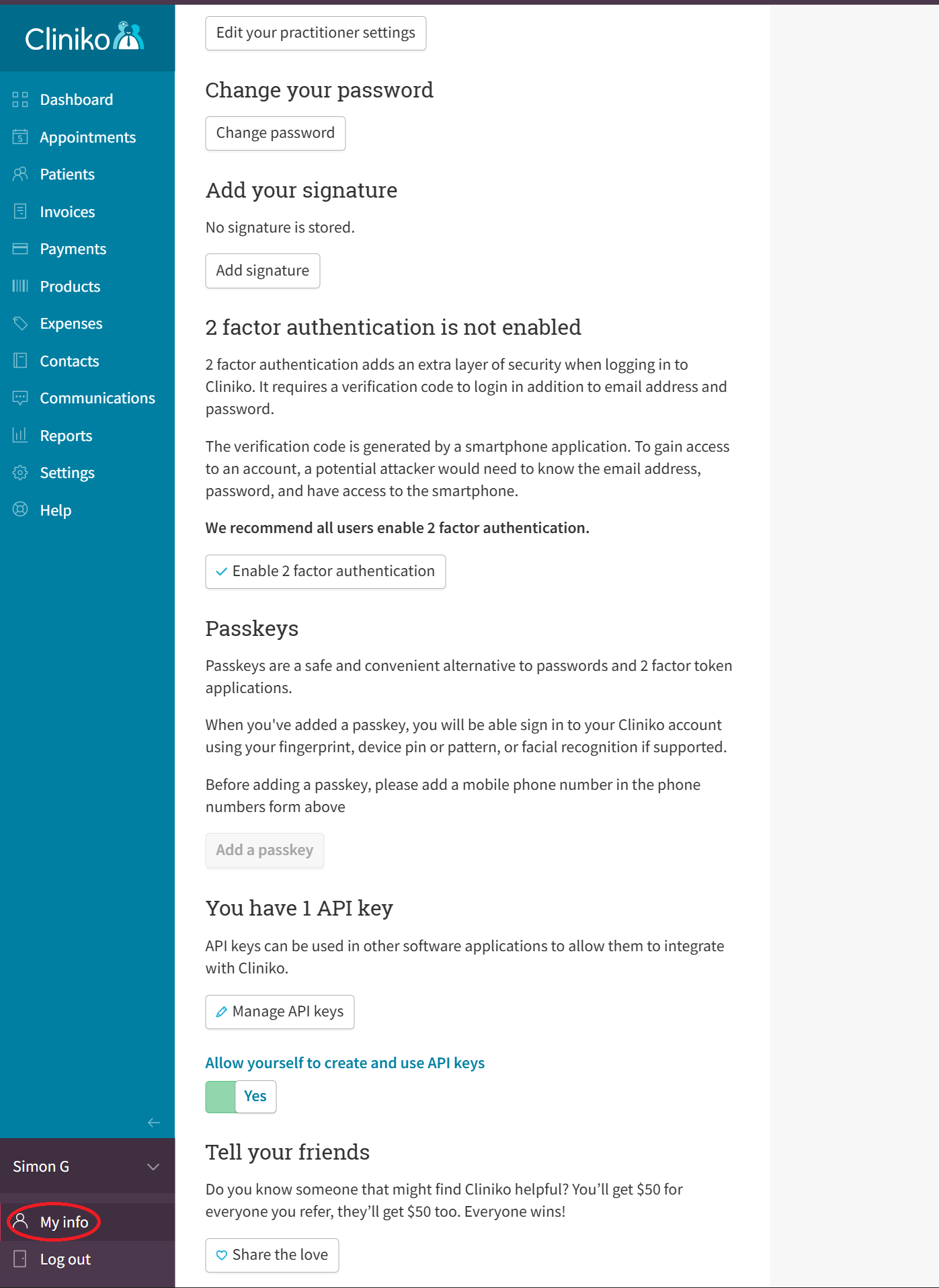
Click on My info
Click on My info in your Cliniko account.
Follow these simple steps to generate an API key for Anserina.
Click on My info in your Cliniko account.
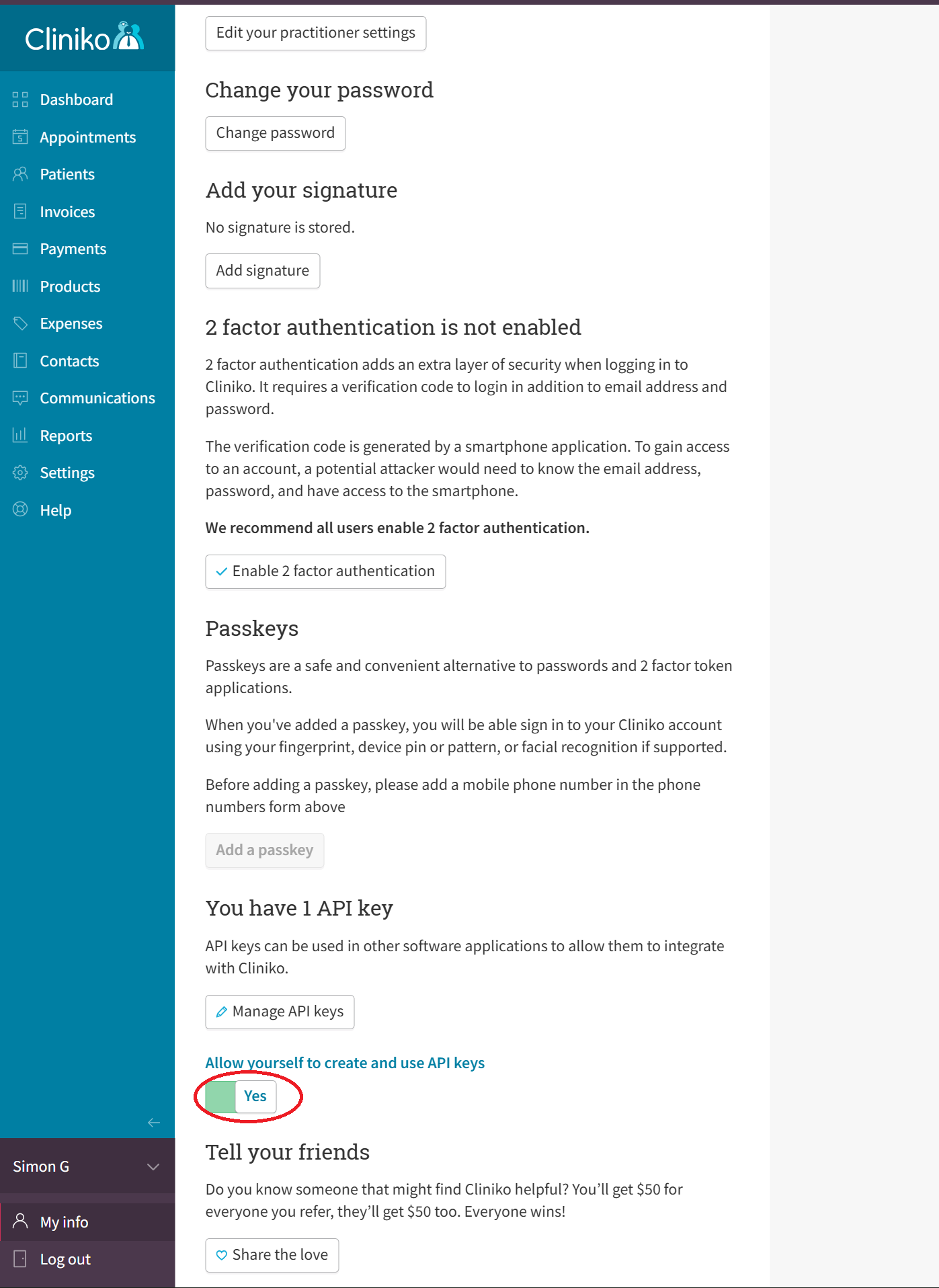
Scroll down and toggle Yes on 'Allow yourself to create and use API keys'.
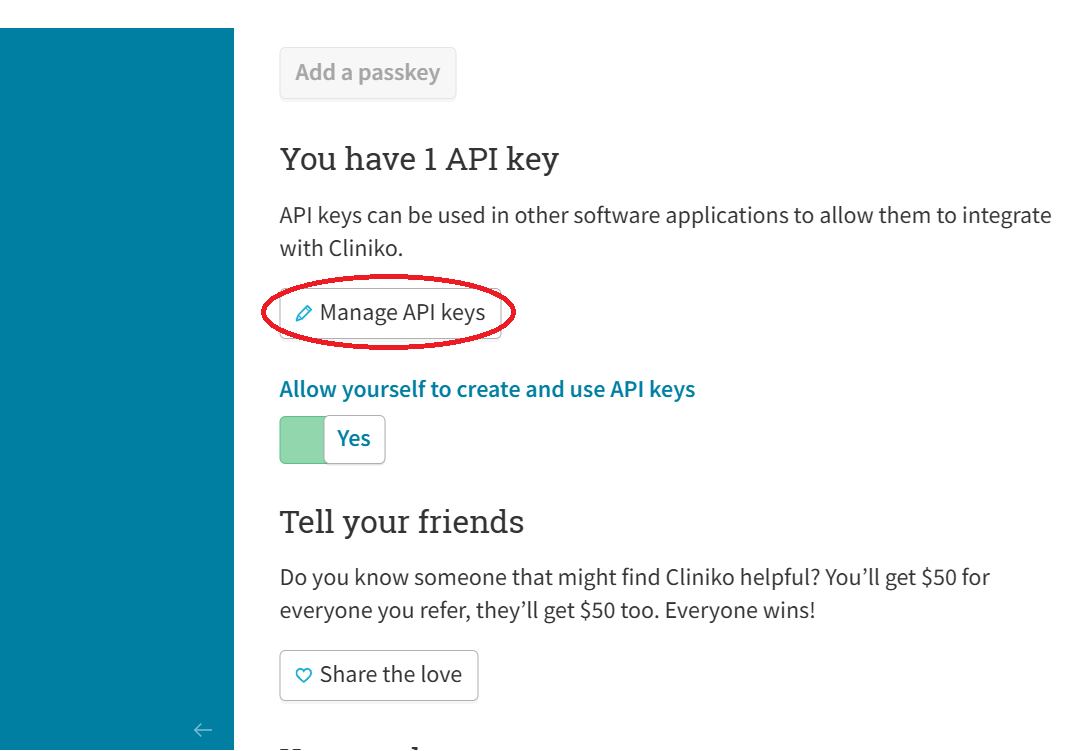
Click Manage API keys.
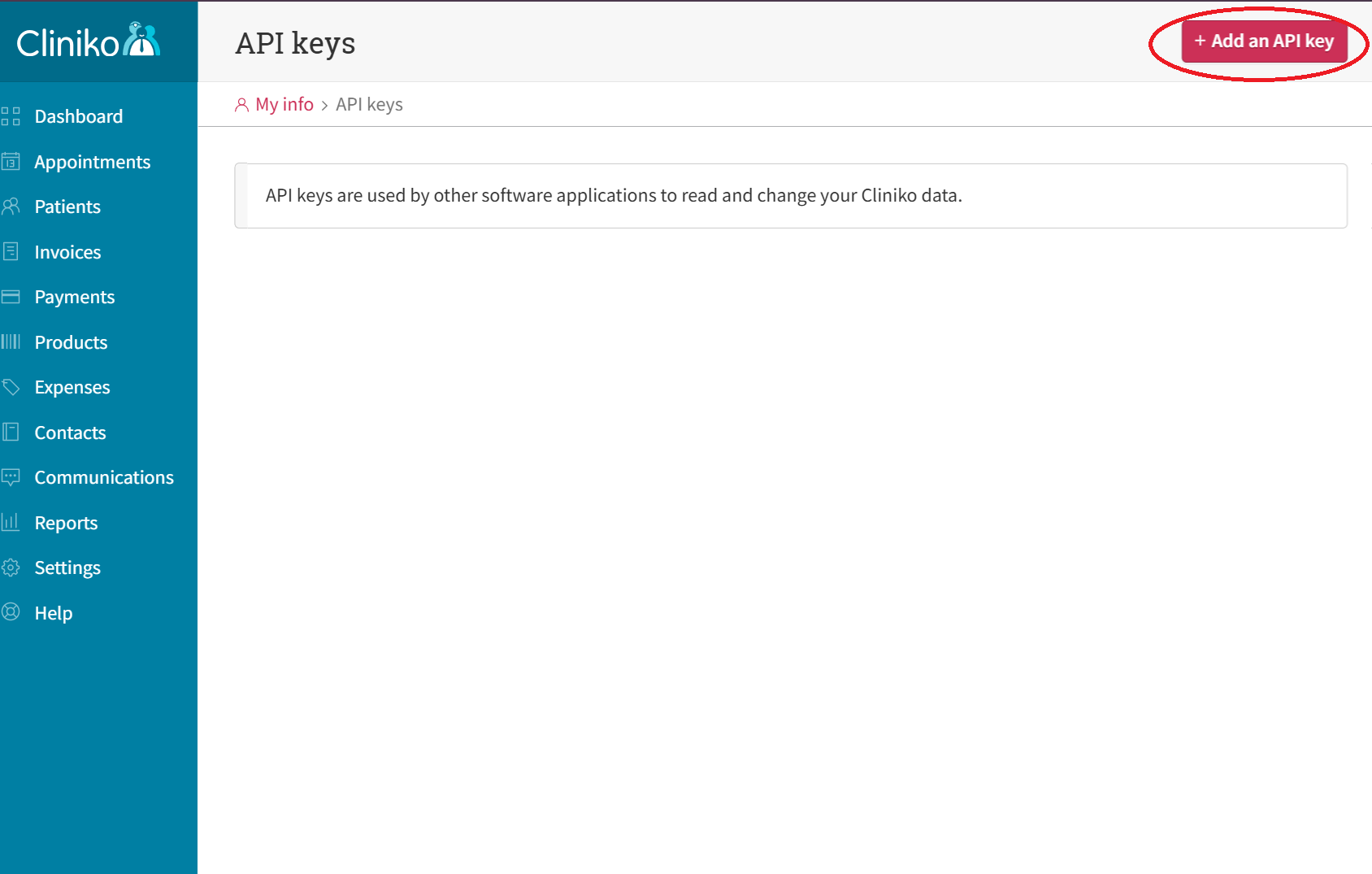
Click Add an API key.
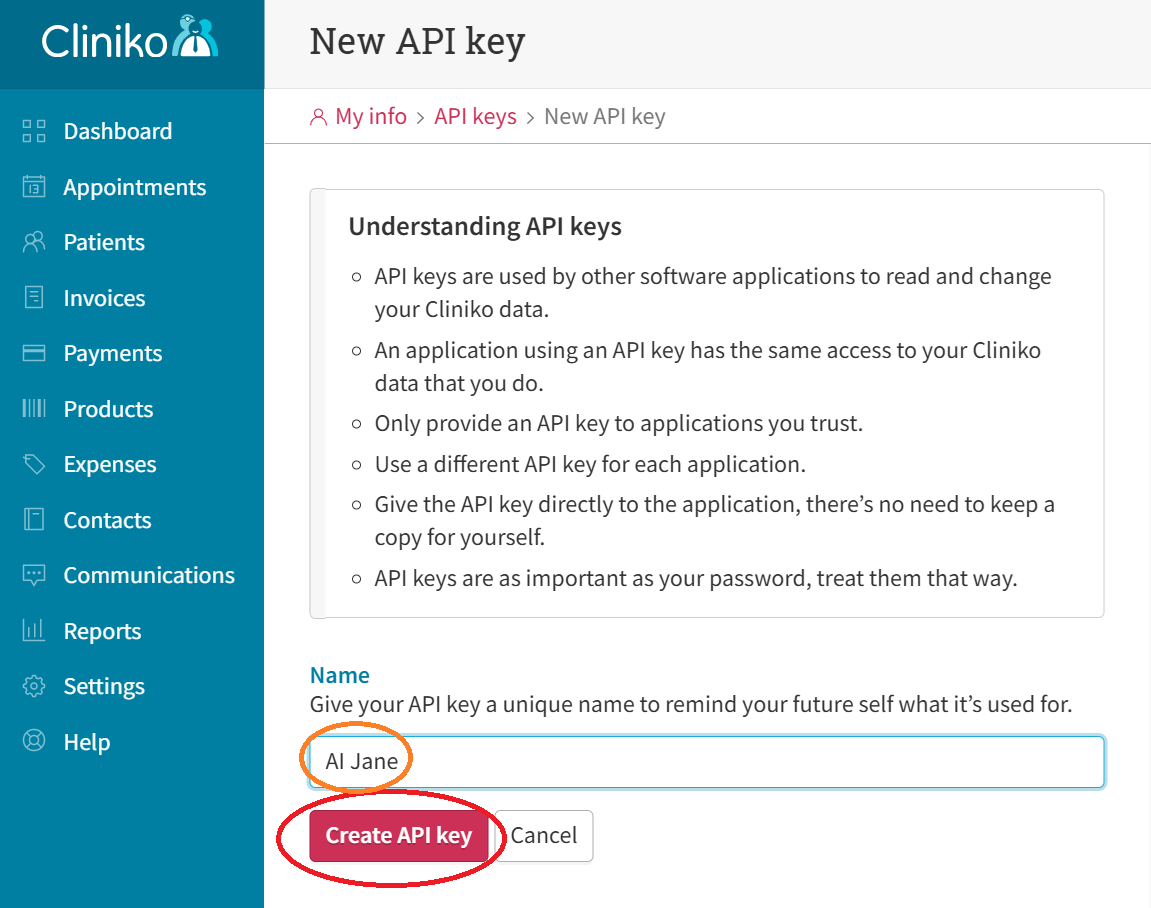
Type in anything, e.g. 'AI Jane' and click Create API key.
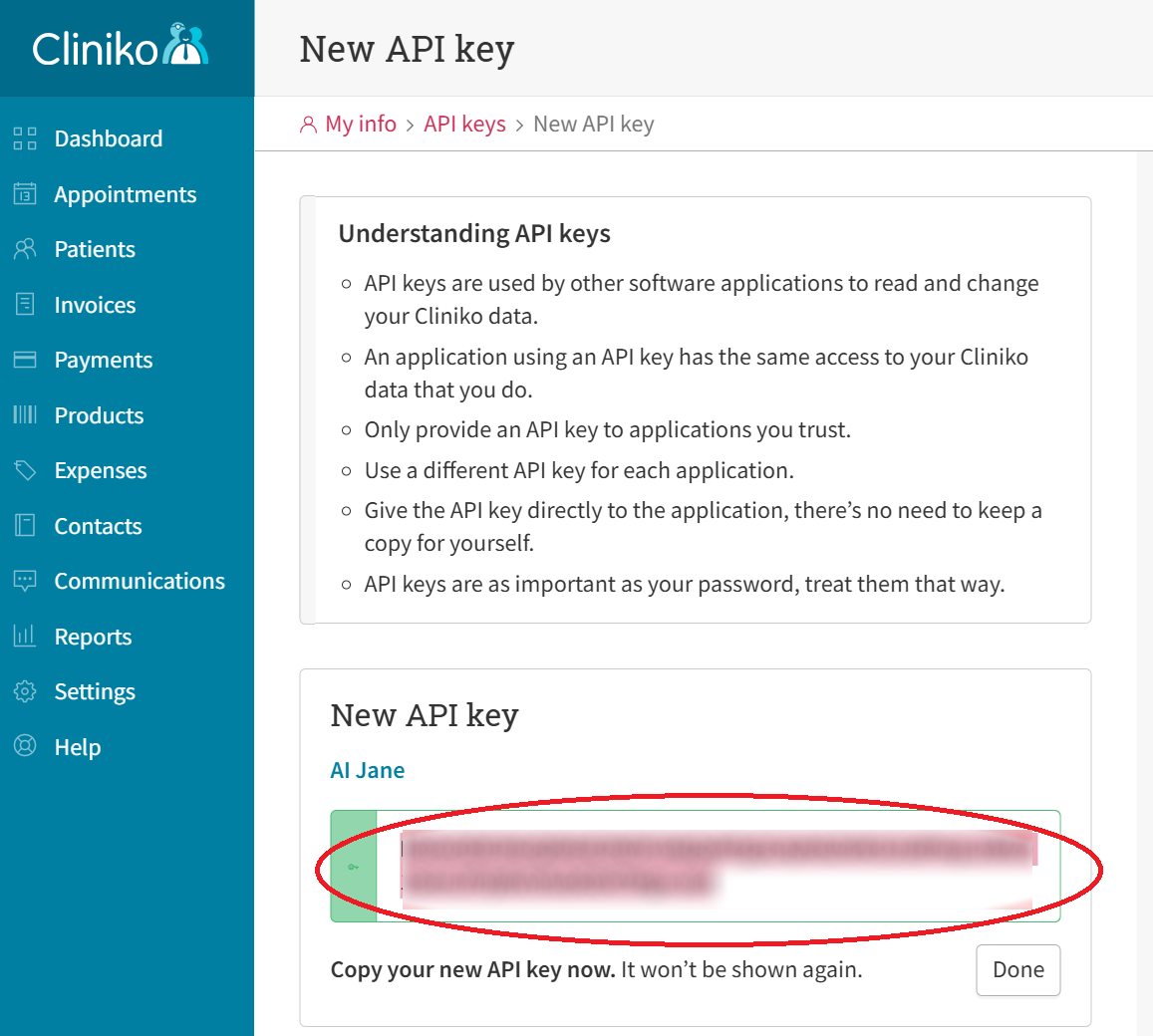
Copy this key now and paste it in an email to aijane@anserina.com.au. Please include the email address you use to log in to Cliniko. This is essential for the API key to work. You will not be able to see the key again so please copy it now. You can make a new key if needed.
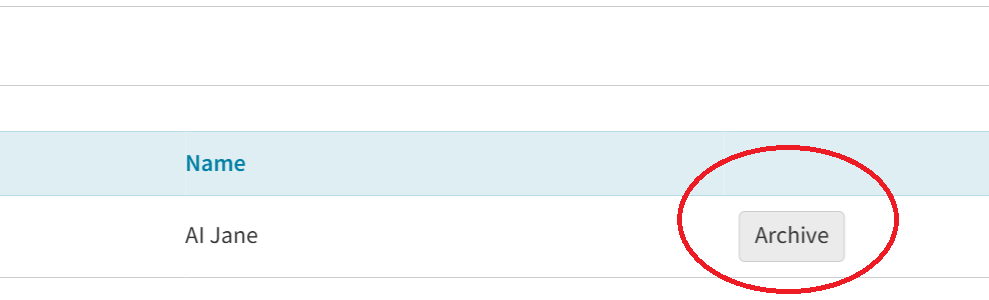
Do not click Archive on your API key unless you want to remove AI Jane access to your Cliniko.
Ready to connect? Use your API key in the Get started flow.
Get started